01
Drag-and-drop theme editor
Build radio and TV pages visually, move content blocks on the canvas, and edit text directly where it appears.
On air hosting platform
WowzaHosting is the all-in-one platform for radio stations and TV channels. Use your own AI API key to generate a professional broadcast CMS site in minutes, complete with MP3/HLS radio players, HLS/m3u8 TV channel players, AzuraCast station controls, VdoPanel channel management, built-in schedules, subscriber lists, and SEO-ready show pages. We host the site, register your Freename or custom domain, and run client billing — all from one dashboard with SSO, support tickets, analytics, and a self-service client area.
The platform
Bring your own API key for Free.ai (default) or any supported provider. We never resell tokens — you control spend and model choice.
ExploreOn-air player for MP3 and HLS streams, now-playing metadata, schedule grid, presenter profiles and podcast archive.
ExploreHLS/m3u8 video player with EPG widget, channel switcher, VOD shelves and live chat-ready sidebar slots.
ExploreSearch, register and assign Web3 and TLD domains from inside the client area. Domains bind straight to the hosted site.
ExploreFOSSBilling-style clients, orders, invoices, dunning and support tickets — with Stripe and PayPal checkout.
ExploreOperator-only storage backends: MEGA, S3-compatible buckets, Backblaze B2 and Storj for media and backups.
ExploreLatest updates
A faster hybrid workflow for creating complete broadcast websites without losing creative control.
Build radio and TV pages visually, move content blocks on the canvas, and edit text directly where it appears.
Describe a change with your own AI provider, preview the result safely, then apply, undo, or publish it.
See every layout, image, player, schedule, and widget update before it reaches your audience.
Add hero images, station logos, live players, schedules, shows, podcasts, video, chat, sponsors, and more.
Export a finished website as a deployment-ready ZIP archive for any hosting provider.
Live client showcase
MP3 radio streams and HLS/m3u8 TV channels from WowzaHosting customers, each with the broadcaster promoted beside their live signal.
Warming up the console…
Layouts
Every layout below is a live screenshot, not a mockup. Each one ships with the streaming player wired up, an editable schedule or TV guide, presenter and on-demand sections, and local business markup so listeners in your city find you in search and on maps — from Reykjavik to Miami, Manchester to Melbourne.
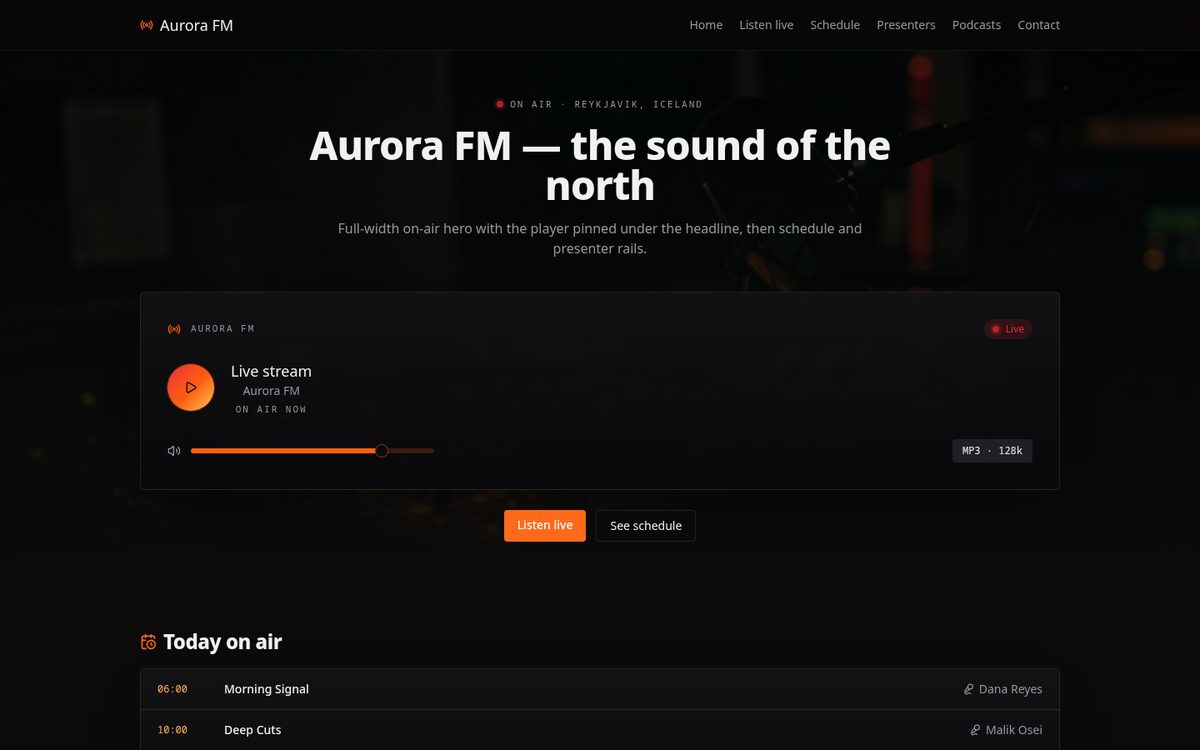
Full-width on-air hero with the player pinned under the headline, then schedule and presenter rails.
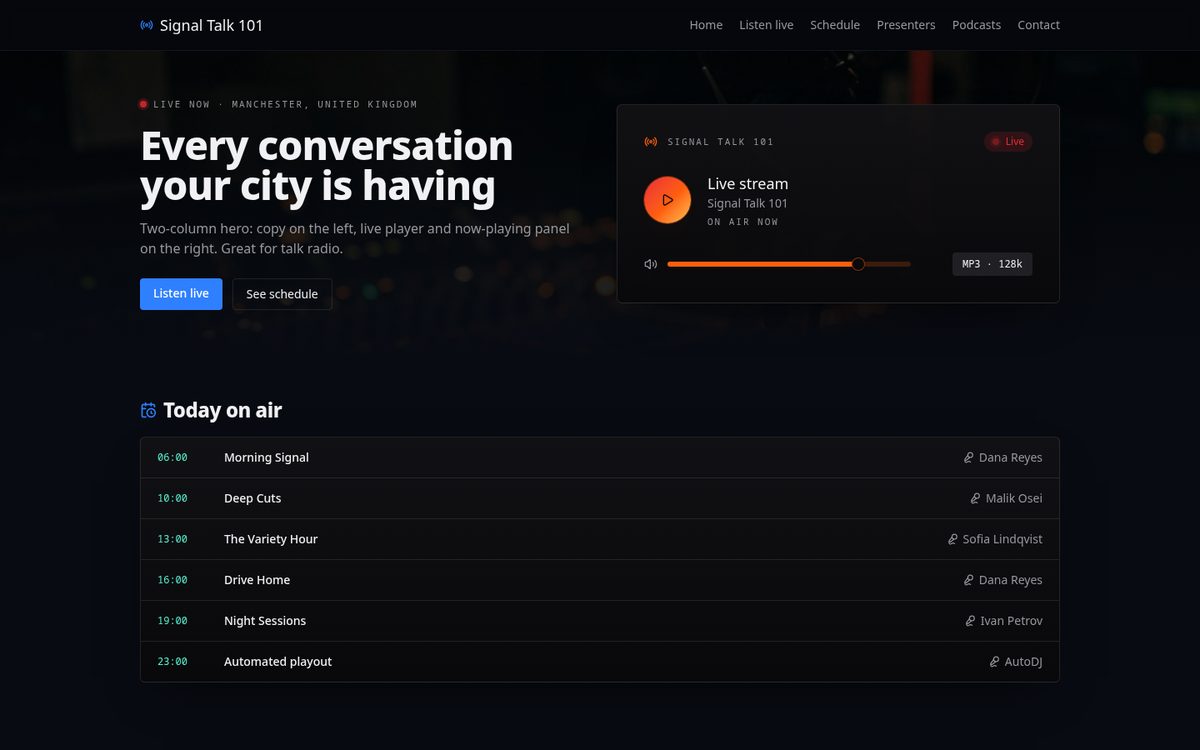
Two-column hero: copy on the left, live player and now-playing panel on the right. Great for talk radio.
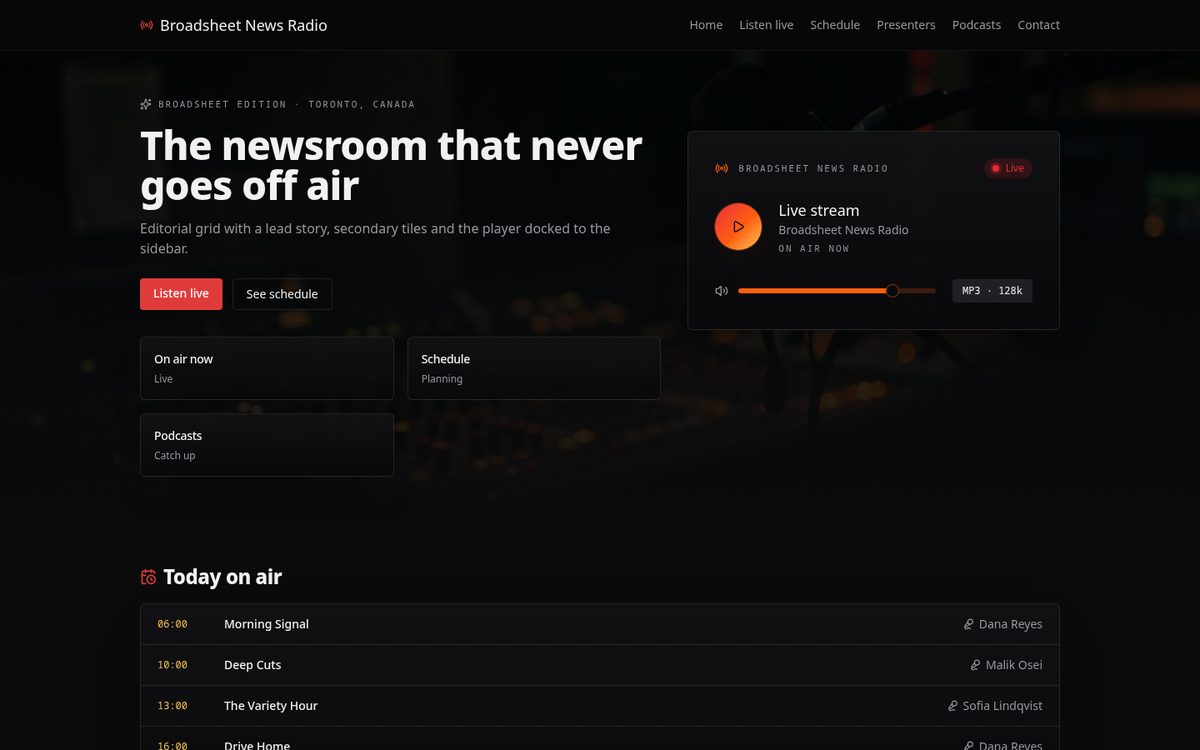
Editorial grid with a lead story, secondary tiles and the player docked to the sidebar.
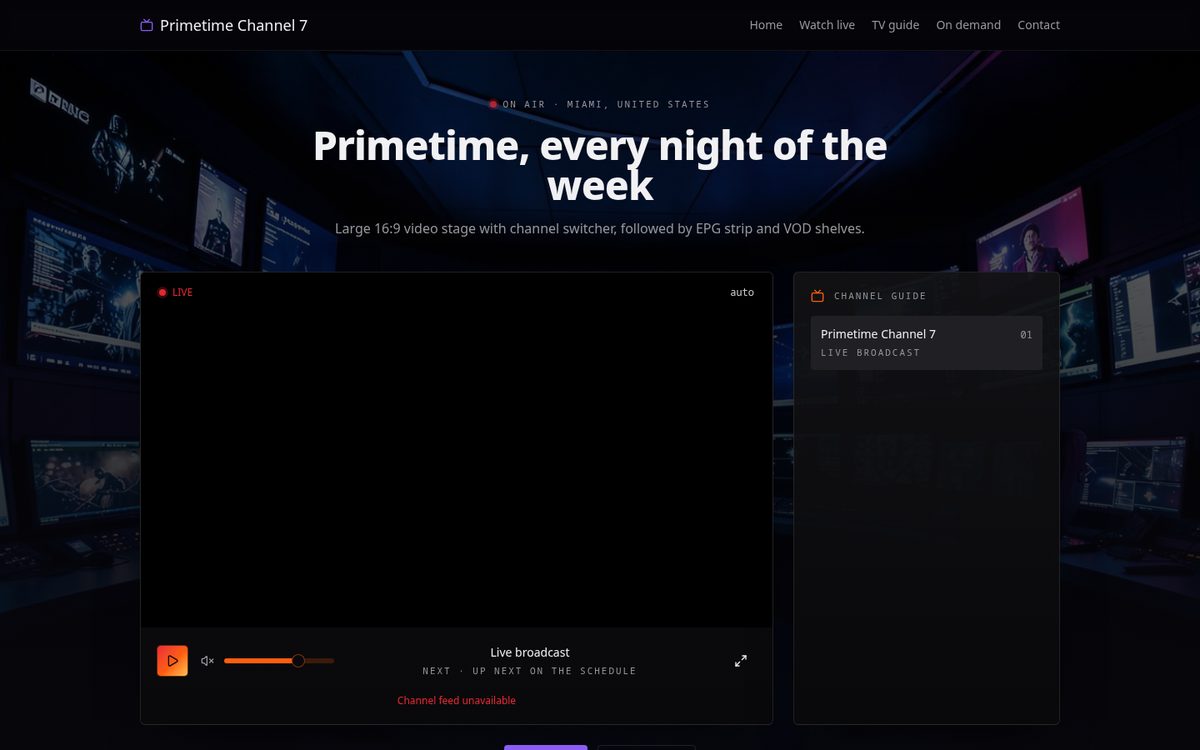
Large 16:9 video stage with channel switcher, followed by EPG strip and VOD shelves.
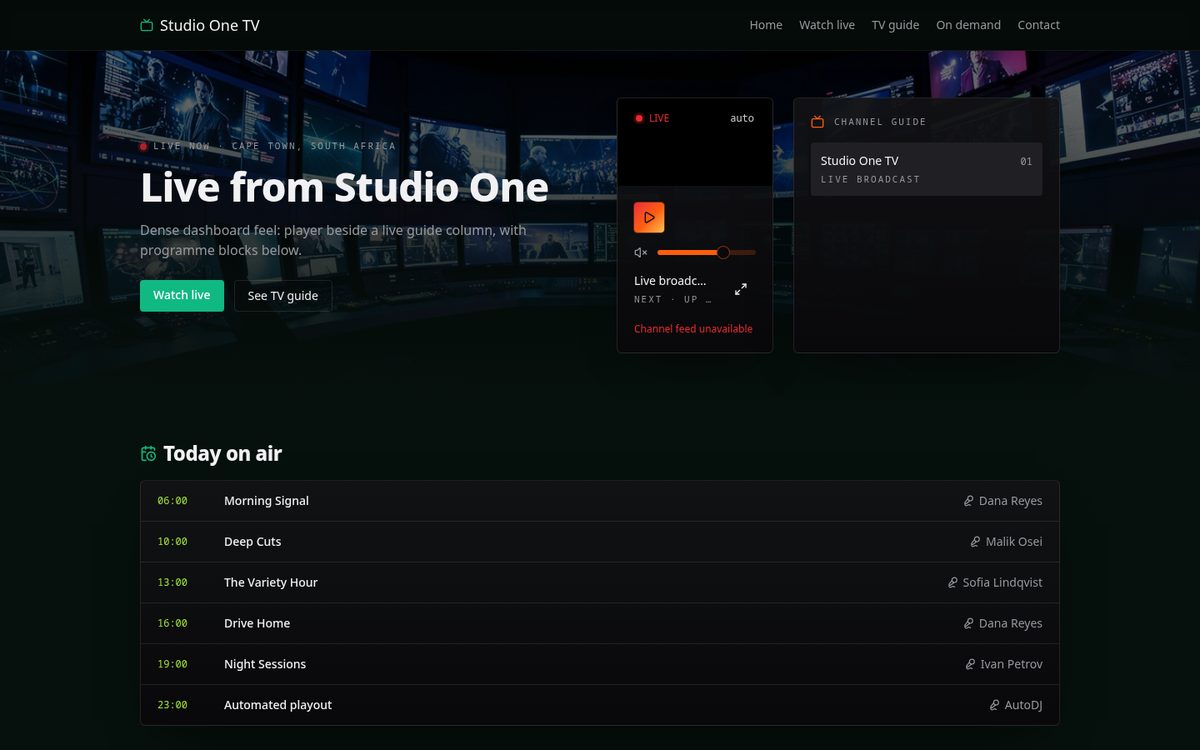
Dense dashboard feel: player beside a live guide column, with programme blocks below.
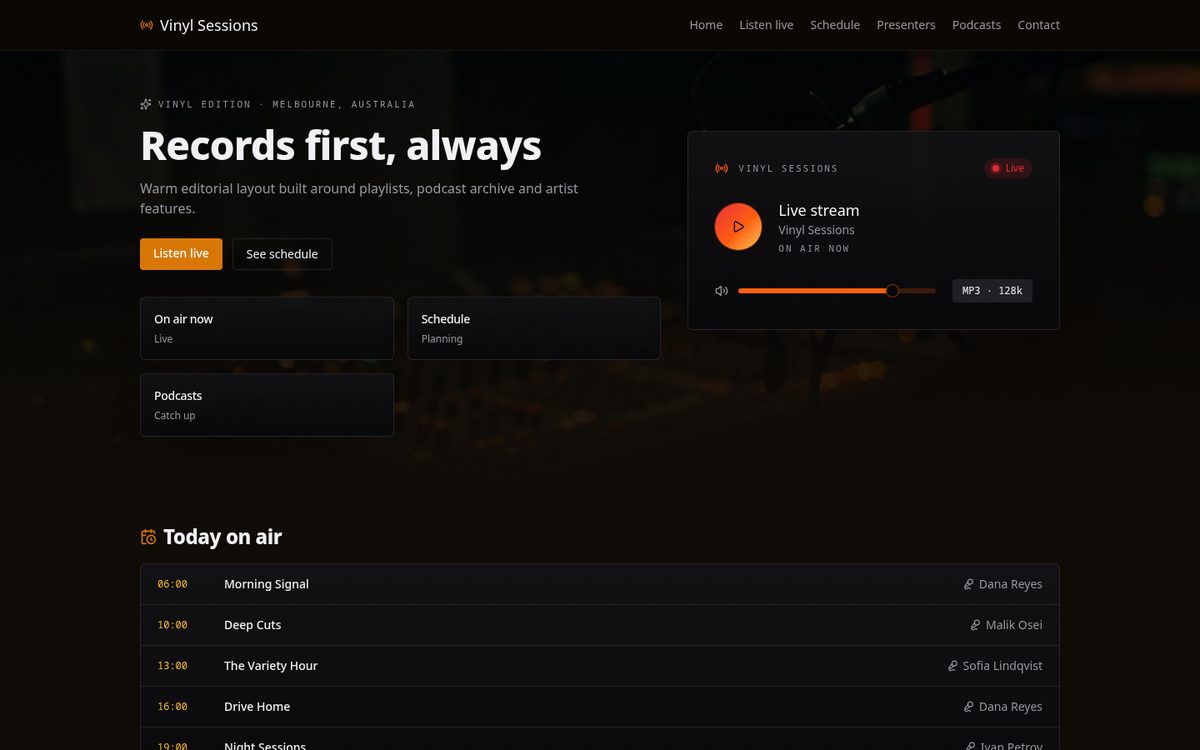
Warm editorial layout built around playlists, podcast archive and artist features.
Not sure which fits? Start in the builder — you can switch layout at any time without losing your content. Compare all templates.
Hosting plans
Hosting, players, media storage, TLS and the client billing area are included in every plan. Domains and add-ons land on the same invoice.
Try it for $1
$0.83/ month
$10 billed yearly · you keep $2
Card via Stripe or PayPal · no contract
One station site
$15.83/ month
$190 billed yearly · you keep $38
Card via Stripe or PayPal · no contract
Most stations pick this
$40.83/ month
$490 billed yearly · you keep $98
Card via Stripe or PayPal · no contract
Multi-channel groups
$107.50/ month
$1,290 billed yearly · you keep $258
Card via Stripe or PayPal · no contract
How it runs
Genre, call sign, stream URLs, schedule and branding go into the builder brief.
The builder calls your chosen provider and assembles a radio or TV CMS site.
Search Freename inventory, pay, and the domain is assigned to the hosted site.
We host it; invoices, renewals and support tickets live in the client area.
Operator snapshot
livekexp-variety.radio
Radio · HLS
atlas-tv.channel
TV · m3u8
nightshift.fm
Radio · MP3
Client API keys are stored encrypted and only used server-side for that client's generations.
Start in the builder, or open the client area to review plans, invoices and domains.